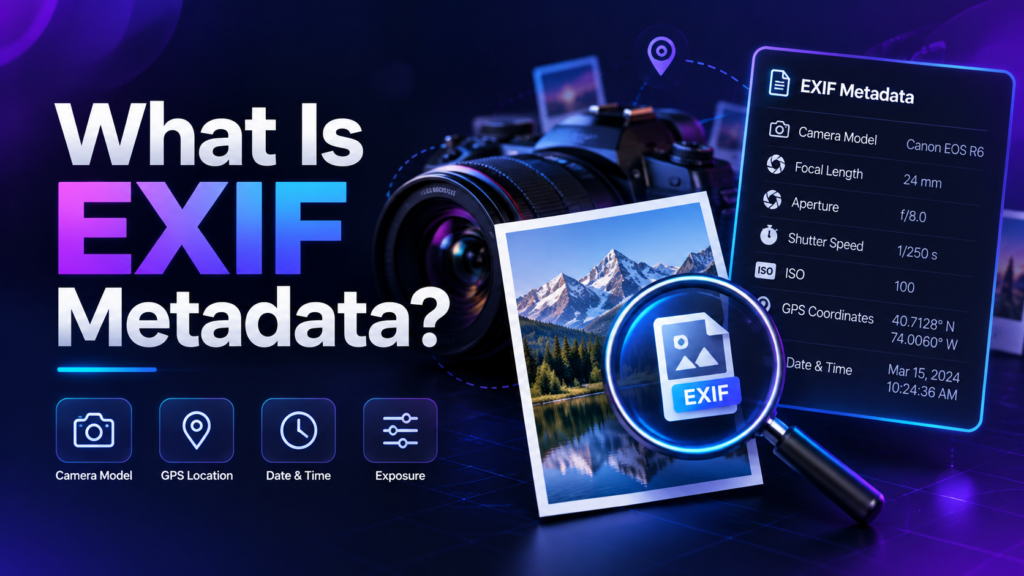
EXIF metadata is information stored inside many image files. Depending on the device and format, it can include camera model, capture time, exposure settings, orientation and GPS coordinates. An EXIF checker reads those fields and presents them in a human-readable format.
What EXIF Metadata Contains
EXIF stands for Exchangeable Image File Format. Cameras and phones may write technical fields automatically when a photo is captured. Editing software can preserve, modify or remove some of those fields during export.
Typical fields: date/time, device make and model, focal length, ISO, exposure, orientation, software, copyright information and GPS latitude/longitude when location capture is enabled.
How GPS Coordinates Are Stored
GPS fields commonly store latitude and longitude using degrees, minutes and seconds plus north/south and east/west references. A metadata viewer can convert those values to decimal coordinates and display the location on a map.
Which Image Formats Support Metadata?
JPEG has the broadest traditional EXIF support. PNG and WebP can also carry metadata, although application support varies. If metadata interoperability is critical, verify the exported file rather than assuming every editor preserved the same fields.
How an EXIF Checker Works
- You select a local image file.
- The tool reads supported metadata blocks from the file.
- Fields are parsed and grouped into readable labels.
- GPS values can be mapped when present.
- You review missing, present or inconsistent fields before publishing.
EXIF and Privacy
Location metadata can reveal where a photo was taken. That is useful for asset organization but can also expose sensitive locations. Before sharing personal photos publicly, check whether GPS data is present and remove it when it is not appropriate to disclose.
Does EXIF Metadata Improve SEO?
Do not rely on EXIF as a direct ranking shortcut. For website image SEO, prioritize crawlable image URLs, high-quality relevant images, descriptive filenames, useful alt text, page context, performance and structured data where applicable. For local visibility, Google publicly emphasizes relevance, distance and prominence.
Inspect a Photo Before You Publish
Check GPS and other metadata directly in your browser.
EXIF, IPTC and XMP Are Not the Same Thing
People often use “EXIF” as a catch-all term for image metadata, but files can contain several metadata standards. EXIF is commonly associated with camera and capture information. IPTC fields are widely used for editorial descriptions, creator and rights information. XMP is an extensible metadata framework used by many creative applications. A capable checker may expose fields from more than one block.
Why Orientation Metadata Can Be Confusing
Some cameras store the pixels in one orientation and use an EXIF orientation tag to tell software how the image should be displayed. If software ignores or strips that field, a photo can appear rotated. Modern editors often normalize the pixels during export, but this is another reason to inspect the final output rather than the source only.
Can EXIF Be Edited?
Yes. Many metadata fields can be changed or removed. That means EXIF should not be treated as tamper-proof evidence. For professional workflows, preserve originals, document edits and use appropriate provenance systems if authenticity matters.
When to Remove Metadata
Remove or avoid publishing sensitive GPS coordinates when an image was captured at a private home, confidential job site, school, protected facility or another location where disclosure creates risk. You may also remove device serial information or creator details if they are not intended for public distribution.
Metadata QA Checklist
- Confirm the final file opens normally.
- Check whether GPS fields are present only when intended.
- Review title, description, creator and rights fields for stale information.
- Verify orientation and capture date if they matter to the use case.
- Re-check after converting, compressing or sending the file through another platform.