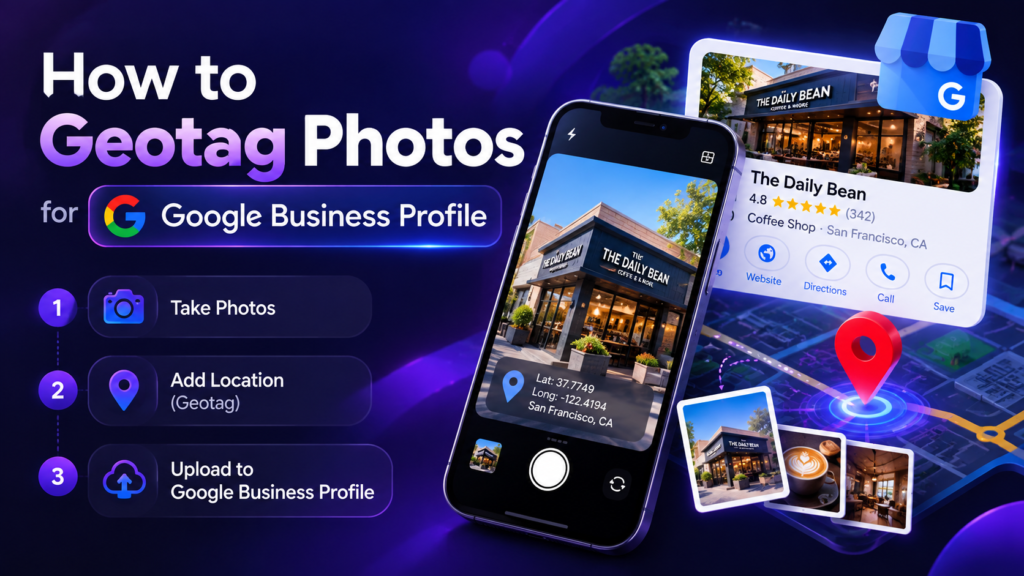
Short answer: you can add GPS coordinates to an original photo before uploading it to Google Business Profile, but the geotag itself should not be treated as a guaranteed ranking factor. The useful workflow is to preserve accurate location metadata, use a descriptive filename, upload a clear and truthful business photo, and keep the Business Profile complete and current.
Before You Start: Use a Real Business Photo
Choose an original image that accurately represents the business: storefront, interior, staff at work, product, completed project, vehicle, or another customer-relevant scene. Avoid excessive filters, misleading edits, stock imagery presented as your own work, or text-heavy graphics. Keep an untouched original copy before editing metadata.
Step-by-Step Geo Tagging Workflow
Prepare the original
Use a clear JPG or PNG, keep a backup, and give it a descriptive filename that reflects what the image actually shows.
Choose the correct location
Search the actual business or service location in the Geo Tag Image tool. Confirm the map pin before writing GPS coordinates.
Add useful metadata
Use a concise title and description that identify the photo naturally. Do not stuff repeated city and service keywords into every field.
Export and verify
Download the processed file, then open it in the EXIF Checker to confirm the coordinates and text fields you intended to save.
Upload directly to your profile
Upload the clear final image to the appropriate Business Profile. Add photos consistently when you have genuinely useful new visual content.
How to Name Business Photos
Descriptive filenames are useful for asset management and can provide context when images are used on a website. Prefer readable names such as mabela-car-brake-repair.jpg rather than camera defaults such as IMG_4821.jpg. Keep filenames concise and truthful.
Use the Same Photos on Your Website Carefully
For website image SEO, descriptive alt text and the surrounding page content matter more than stuffing metadata. Write alt text for accessibility: describe the visible subject and context in a natural sentence. Add width and height attributes, compress images, and use modern formats when appropriate.
Common Mistakes to Avoid
- Using a fake address or coordinates that do not match the real place shown.
- Repeating the same keyword list across every photo.
- Uploading blurry or heavily altered images simply to increase photo count.
- Assuming geotagging can compensate for incomplete categories, services, reviews, or website content.
- Discarding the original file before checking the exported metadata.
Geotag and Verify Your Next Business Photo
Add location metadata in the browser, then verify the result before you publish.
Frequently Asked Questions
Does Google Business Profile require geotagged photos?
No. Google provides photo quality and content guidance, but does not require GPS EXIF metadata for normal Business Profile photo uploads.
Should every photo use the exact business coordinates?
Only use coordinates that accurately represent where the photo was taken or the location context you intentionally want to preserve. Avoid fabricated metadata.
What is more important than EXIF for local SEO?
Accurate and complete Business Profile information, appropriate categories, helpful services and content, genuine reviews, prominence, and a relevant website are higher-priority foundations.
Build a Balanced Business Photo Library
Do not upload twenty near-identical photos just to create activity. Build coverage across the things customers actually want to inspect: exterior and entrance, interior, team, products, equipment, service process, completed work and other category-specific visuals. The exact mix depends on the business.
Publishing Cadence
There is no universal number of photos per week that guarantees better rankings. A useful cadence is simply one your team can maintain with genuinely new, accurate images. For a busy garage or contractor that may be several job photos per week; for a professional office it may be less frequent. Quality and relevance matter more than a fixed quota.
Track Photo Work Separately From Ranking Claims
Maintain a simple log containing the photo filename, location, subject, publish date, Business Profile or page used, and any related site update. When you compare performance later, you can see what actually changed instead of guessing. This is especially important when multiple SEO tasks run at the same time.
Website Alt Text Is for Accessibility
If the same image is published on a service or location page, write alt text to describe the image for someone who cannot see it. Avoid using alt text as a keyword container. A useful description like “Technician inspecting front brake disc at Mabela workshop” is better than a repeated string of city and service keywords.